刺绣图转换 Image to Embroidery
将图片转换为 Brother 绣花机文件 Convert images to Brother embroidery files
适合什么图片? What images work?
✓ 填色模式适合 Fill mode works for
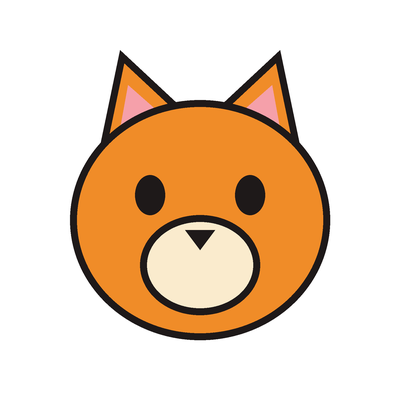
平涂色块的卡通、图标、Logo、剪纸风图案:颜色少(2–6 种)、边缘清晰。
Flat-colour cartoons, icons, logos and papercut-style shapes: few colours (2–6) and clear, hard edges.
✗ 不适合填色 Not for fill mode
水彩、照片、渐变、带淡彩的铅笔/钢笔画——自动填色会变成杂乱色块。
Watercolours, photos, gradients, pencil/ink sketches with washes — automatic fill turns them into blotchy patches.
✎ 线稿请用线稿模式 Ink drawings: use line-art mode
钢笔/墨线画请在设置中选择「线稿」:只绣出深色线条(单色),眼睛等小点绣成实心点。
For pen/ink line drawings choose “Line art” in Settings: only the dark lines are stitched (one colour); eyes and dots become small satin dots.
填色模式示例 Good fill-mode examples


拖放图片到此处或点击选择 Drop image here or click to select
最佳效果:平涂色块、边缘清晰的简单图片 Best results: simple flat-colour images with clear edges
使用提示 Tips
- 填色模式只适合平涂、边缘清晰、颜色少的图片;颜色数量设为图中实际颜色数 Fill mode is for flat, hard-edged images with few colours; set Colors to the number of colours actually in the image
- 水彩、照片、渐变图不会转换得好;钢笔/墨线画请用线稿模式 Watercolours, photos and gradients will not convert well; use line-art mode for pen/ink drawings
- 白色或纯色背景最好,主体尽量占满画面 A white or plain background works best; let the subject fill the frame
- 将 .pes 文件复制到 FAT32 格式 U 盘根目录 Copy .pes to root of FAT32 USB drive
- 使用 10×10 cm 绣框 Use the 10×10 cm hoop
- Brother M370 无自动剪线,请手动剪跳线 M370 has no auto-trim; snip jumps by hand